Bring Current KPI Results into Your Performance Reviews
Give KPI owners a simple way to check and update their measures from their phones. Managers can review actuals, targets and scores together, so your strategy office can focus the discussion on results that need attention.
A Missed Target and an Overdue Update Need Different Responses
When a KPI is below target, your first question is whether the figure is current. If the update is overdue, the owner needs to confirm the result. If the figure is current, the conversation can move to what caused the gap and what to do next.
Kippy shows owners when a measure was last updated, alongside its result, target and strategic objective. They can check the figure before it reaches the review meeting.
How it works
A Focused Check-In for Each KPI Owner
1
See which measures need attention
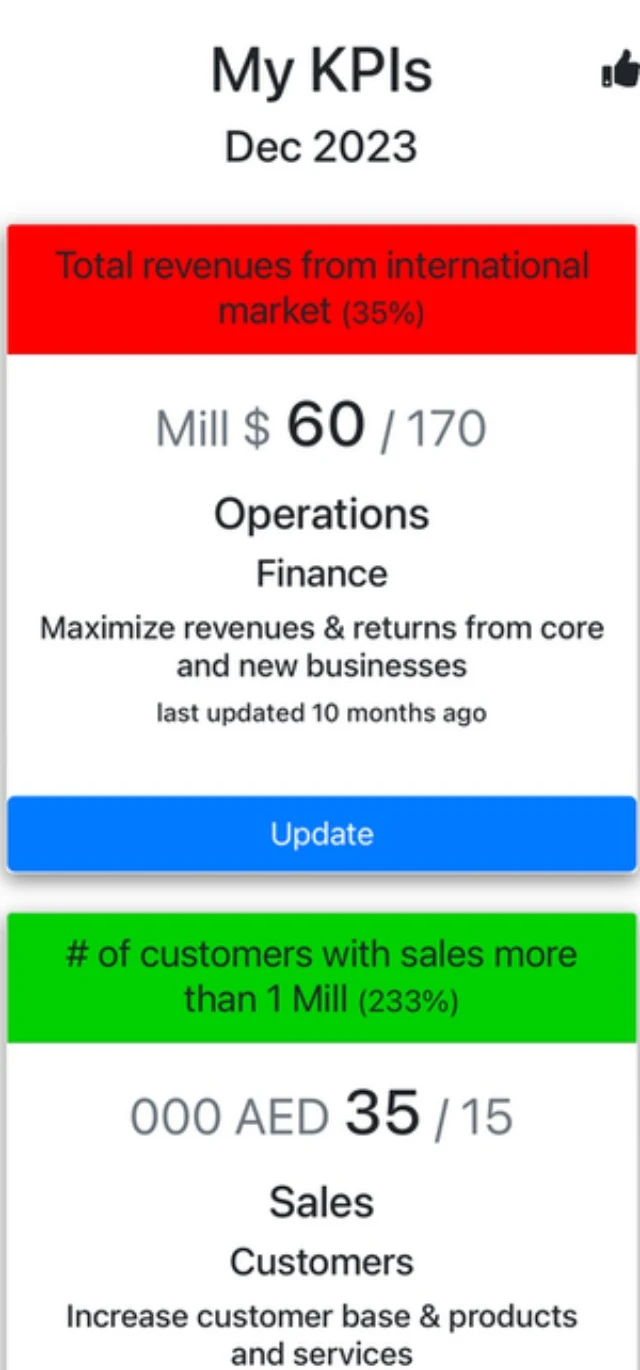
In My KPIs, owners see their measures for the reporting period. Each KPI shows the actual against target, the objective it supports and when it was last updated. In the example, international revenue stands at $60 million against a $170 million target. The update is ten months old, giving the owner a clear reason to verify the figure.
My KPIs: actual against target, the objective it supports and when it was last updated.
2
Submit the update from the same view
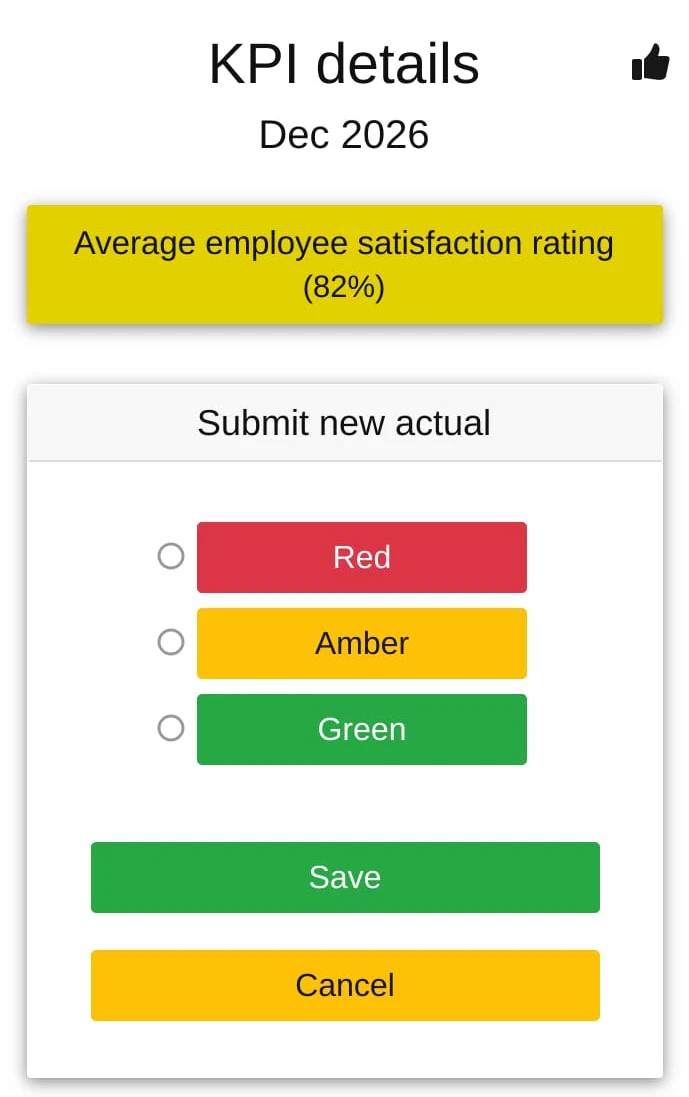
The owner selects Update to open the measure for the reporting period. For a KPI tracked by status, such as the employee satisfaction example shown, the owner selects Red, Amber or Green and saves the update.
KPI details: the owner selects Red, Amber or Green for the reporting period and saves.
Management review
See Where a Follow-Up Conversation Is Needed
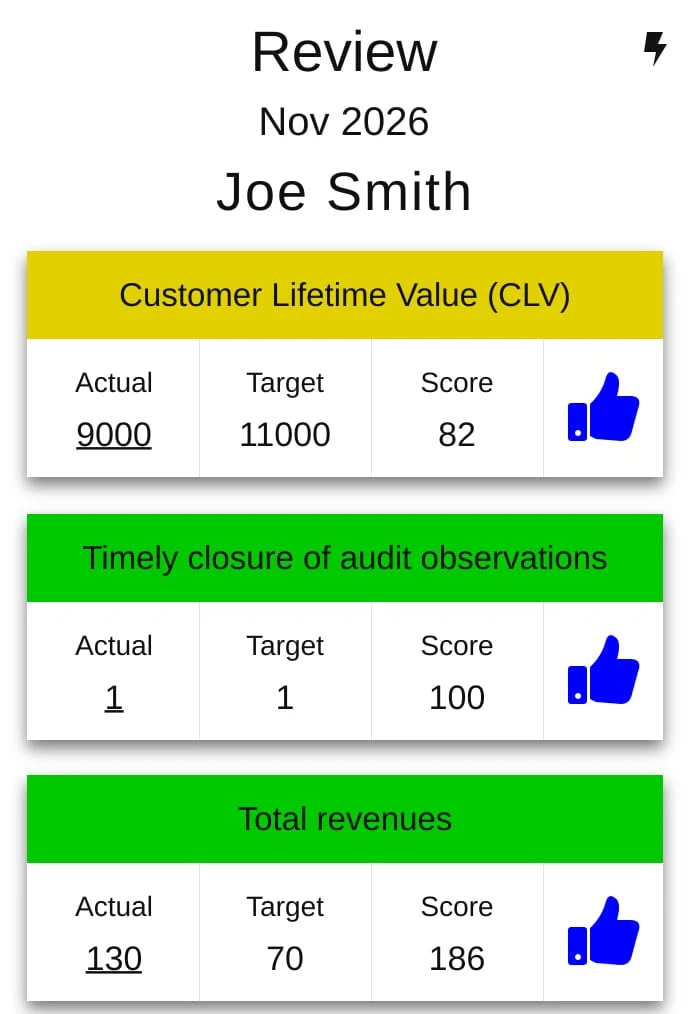
The Review view brings one person’s KPIs together for the selected period. Managers can read each actual alongside its target and score, then decide which result warrants a closer look.
In the example, customer lifetime value reached 9,000 against a target of 11,000, while total revenue reached 130 against a target of 70. Seeing them side by side gives the manager a specific question for the review.
Customer lifetime value
9,000
Target 11,000
Score 82 · below target
Total revenue
130
Target 70
Score 186 · above target
The review question
“Revenue exceeded target this period. What explains the shortfall in customer lifetime value?”
Executive FAQ
Can we tailor the check-in to different roles?
Yes. Kippy supports micro apps tailored to a particular user and task. A KPI owner can have a focused update view, while a manager can have a review view suited to their responsibilities.
Can teams use check-ins on their phones?
Yes. Kippy’s mobile-responsive apps work in a modern browser, so owners can access their check-in from a phone or desktop.
How can a manager tell whether a KPI result is current?
Each KPI shows when it was last updated, alongside its actual, target and the objective it supports. An overdue update is visible before the review meeting, so the owner can confirm the figure and the discussion can focus on the result.
See How Check-Ins Would Work for Your Reporting Cycle
Bring a KPI your teams update regularly. Explore how its owner would submit the result and how a manager would review it against target.