
ENTERPRISE READY
Implementation Roadmap
Four phases take you from evaluation to rollout: assess fit, plan people and data, agree scope, then pilot and extend adoption.
Plan enterprise adoption through discovery, planning, decision and implementation. Use this guide to connect the leadership decision with the practical work of preparing strategy, data and users.
YOUR ROLLOUT AT A GLANCE
From Evaluation to Rollout
- Discovery Evaluate fit, review the product, discuss indicative costs and assess organisational readiness.
- Planning Assemble the project team, define requirements and assess data quality.
- Decision Review a tailored demonstration, build the internal business case and finalise procurement.
- Implementation Kick off the project, validate a leadership pilot and extend adoption to further organisational levels.
Begin with leadership sponsorship and a top-down launch. A small project team can combine operational knowledge with technical expertise. The requirements discussion covers workflows, reporting, governance, hosting, customisation, integrations and support.
STRATEGY AND DATA
Prepare the Strategy and Data
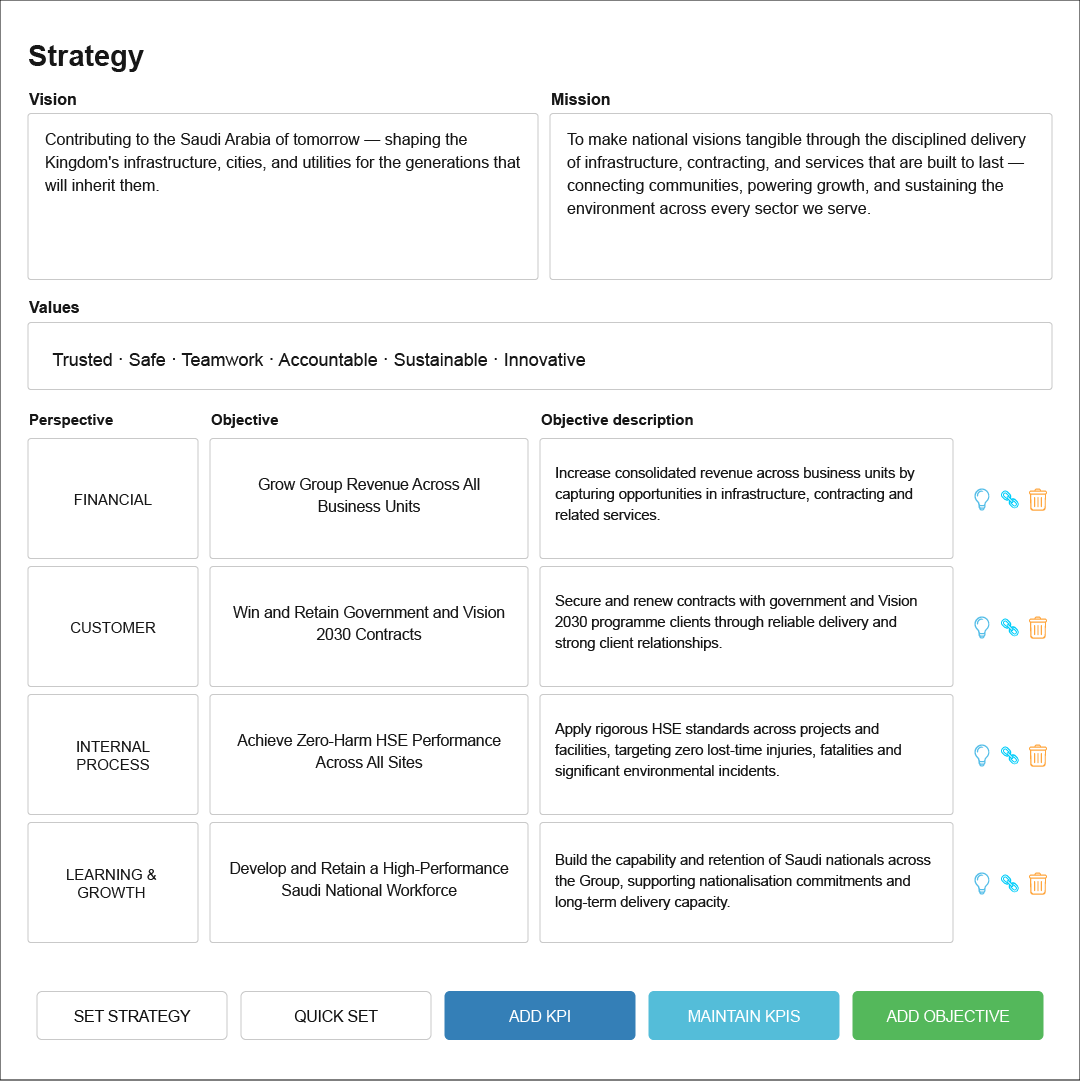
Start with a business case, a senior sponsor and executive agreement. Capture vision, mission, values, top-level objectives, KPIs, named owners and targets in the data-gathering template.
- Methodology Agree the performance methodology and the first organisational level to configure.
- Existing KPIs Capture the objectives and KPIs already used by the organisation.
- Ownership Identify a person responsible for each KPI and agree targets and reporting frequency.
- First users Prepare the teams and users who will participate in the first rollout.
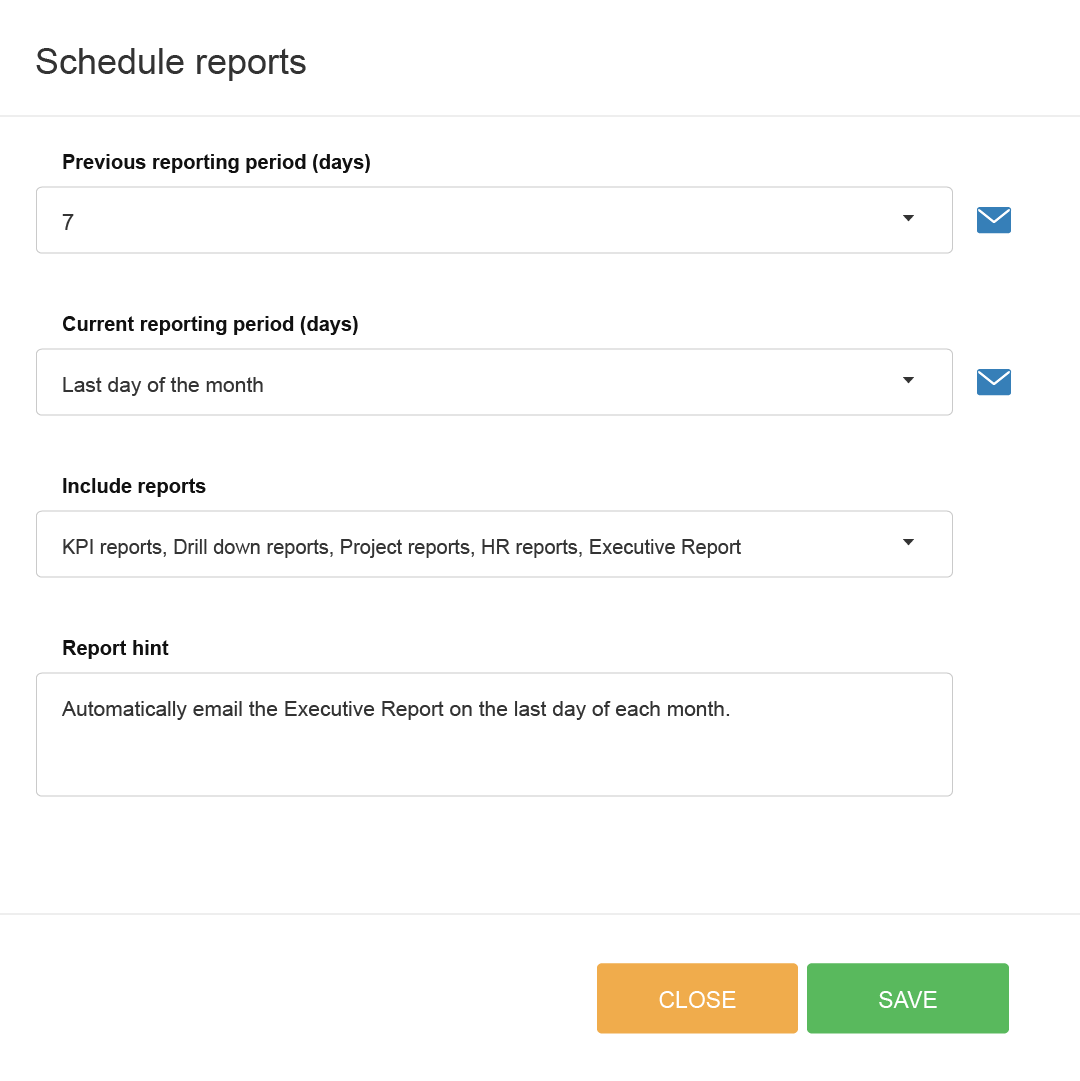
Setup includes defining strategy, modelling teams, entering targets and actuals, and inviting colleagues to administer and contribute. Setup can be self-managed through the Quick Start Guide or supported by Kippy using spreadsheet templates.
QUICK SET
Import KPIs with Quick Set
Quick Set provides a grid for importing existing KPI information by copying and pasting from Excel. It can also display and edit a team’s KPI information, add rows and export the grid as CSV.
- Template Use the Quick Set template and preserve its column order.
- Perspectives Ensure each perspective matches an existing Kippy perspective.
- Parent objective Leave the parent objective empty for the top-level team. For lower levels, match the parent objective name and perspective.
- Validation Paste the prepared cells into the grid and inspect validation errors before saving.
Exact names matter: an objective name that does not match an existing objective creates a new objective. Set the Approved field to TRUE when the imported KPI should be approved. Quick Set is intended primarily for initial setup. Saving writes every grid cell and can overwrite concurrent changes. After setup, use the Maintain screen for individual KPI edits. Kippy recommends testing imports in a separate trial instance.
PILOT AND ADOPTION
Pilot, Expand and Embed
Begin implementation with a project kick-off and a leadership pilot.
- Leadership pilot A small group validates core capabilities and gives feedback before adoption extends to the next organisational level.
- Embed the process Later rollout embeds the performance process into standard operating procedures.
- Connect the rhythm Connect recurring KPI updates, team-level cascading, project milestones and management reviews.
- Configure Invite an administrator, configure a default language, and tailor workflows, competencies and branding.
Plan timing around scope: the public guides describe different setup scenarios. Agree the timeline for your data preparation, deployment and integrations with Kippy rather than treating a single duration as a commitment for every rollout.
SETUP RESOURCES
Practical Setup Resources
Choose self-managed configuration or assisted setup. Self-managed setup covers strategy, objectives, KPIs, projects, monthly targets, actuals, team modelling and invitations. Assisted setup can use spreadsheet templates to model and upload existing information.
The quick setup training resource covers the configuration journey in 16 minutes. Use a shared implementation plan to connect configuration activities with your pilot and wider adoption.
BEFORE YOU START
What to Prepare
- Team Name the executive sponsor, implementation lead and operational and IT participants.
- Strategy Prepare vision, mission, values, objectives, KPIs, owners, targets and reporting periods.
- Requirements Document workflows, reports, governance, hosting, integration and support requirements.
- Pilot Agree the leadership pilot, organisational levels and training requirements.
- Success measures Record success measures and the scope and timing to be agreed during procurement.

“Cascading and alignment across 14 business units, with onboarding completed in one month.”
Dr. Yahya Shakweh
Strategy Director, Al-Ayuni

“Visibility and accountability to every level of our performance management.”
Paul Poungpetch
General Manager, Thaiwattana Metalsheet

“The reporting tools helped me to analyze data efficiently, saving me countless hours of manual work.”
Pinky Lama
VP, Planate Management Group

“It helps project managers identify and fix project deviations early.”
Eyad Zamel
Consulting PMO Manager, Deloitte

Kippy gives leaders a comprehensive view of organisational performance.
Abdulrazak Tello
Director, PwC

Kippy offers a customisable platform for strengthening governance and supporting data-driven decisions.
Dr Ahmad Fayez
Manager, Palladium
- Canada
- United States
- Mexico
- Chile
- Brazil
- United Kingdom
- Netherlands
- Finland
- Italy
- Türkiye
- Ghana
- Zimbabwe
- Saudi Arabia
- Oman
- United Arab Emirates
- India
- Thailand
- Malaysia
- Philippines
See How Kippy Would Work Across Your Business
In a 30-minute online demo, we’ll show you:
- See your company’s objectives and KPIs in Kippy.
- Discuss your requirements and how Kippy can fit them.
- Review your options for setup, integrations and rollout.